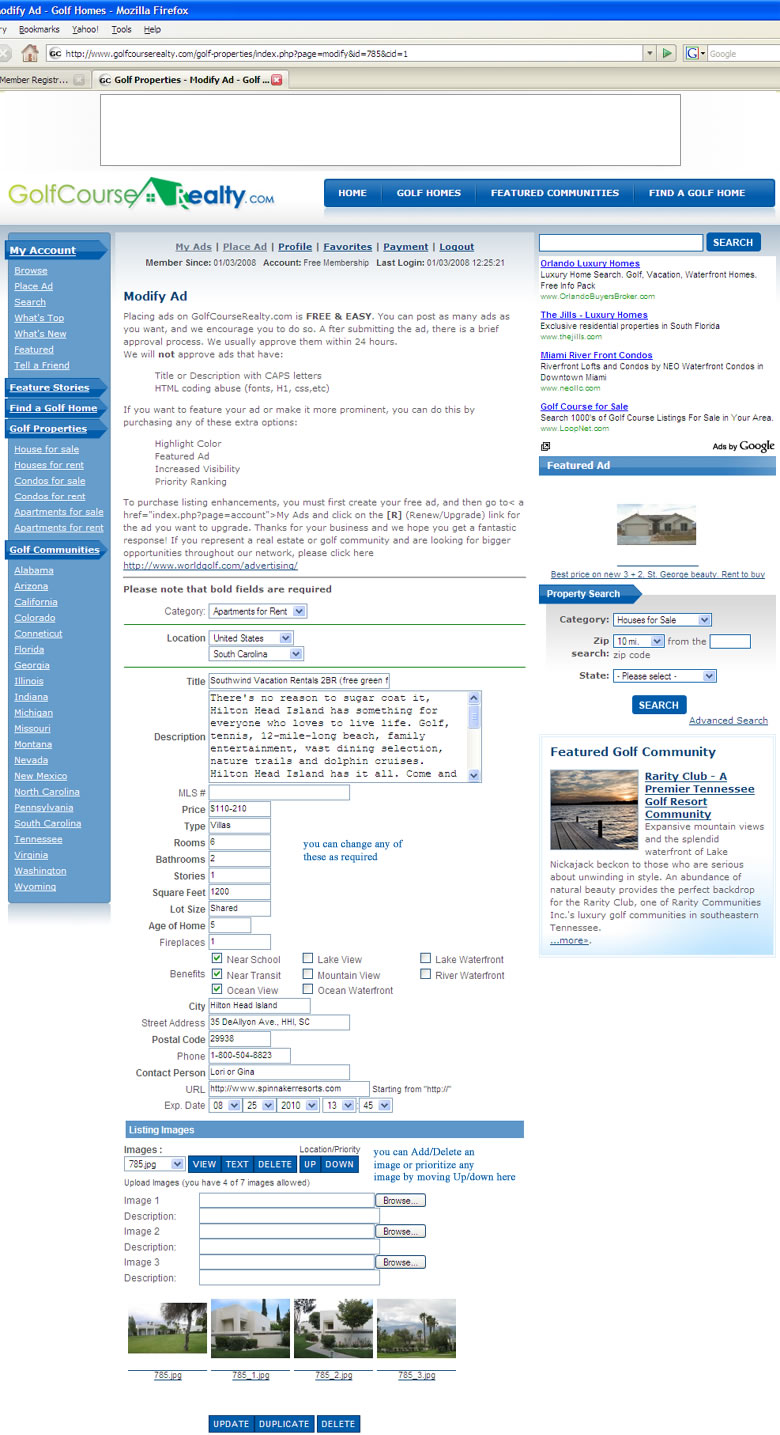
Step 10
Clicking on any of your listing will take you to the Modify/Update page with all the data as shown below. Here you can make any changes that may be required.
Many of the queries we receive regard problems with adding images. All you have to do is click on the browse button, select the image you want to upload (make sure the images are not too large and do not exceed 800x600 pixels). You can upload as many as seven images. These can be moved up or down by selecting the uploaded images from the drop-down then using the UP/DOWN button. You can also delete images, then click on the UPDATE button to finish the Modify/Update process.
Still you have a problem? Send us feedback regarding any confusion you might have and we will get back to you with a solution.
Enjoy placing listing property - and best of luck.
All the best,
The GolfCourseRealty.com Team